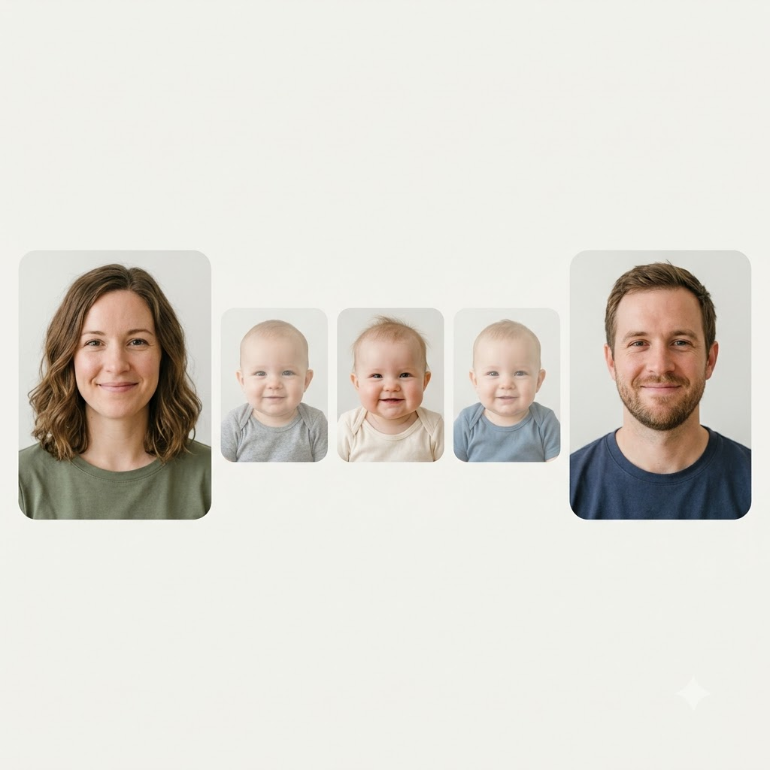
Making an AI baby image takes four steps and about a minute: pick two photos, upload them, choose a life stage, download the result.
The steps are the easy part. Whether the face looks like you two or like a generic stock baby comes down almost entirely to which two photos you picked — and almost nobody tells you that before you upload.
This guide covers both: the process first, then the longer and more useful half, which is what separates a photo that produces a recognisable result from one that produces a flat one.
What an AI baby generator actually does
The system reads the visible structure of two faces — the shape of the jaw, the set of the eyes, the line of the nose, the proportions between all of them — and composes a new face carrying elements of both.
That is the whole of it. It works from what a camera recorded, not from anything underneath. It does not read DNA, and it does not calculate which traits a child would inherit from which parent.
The distinction matters, and not just as a disclaimer. It is the reason the photo you choose does so much work. If the only information available is what the lens captured, then anything the lens failed to capture is information the system does not have.
It blends what two faces look like. It does not predict what a child will inherit.
The four steps
1. Pick two photos
One clear photo of each parent, front-facing, evenly lit.
Only upload photos of adults who have agreed to it. Do not upload photos of children.
This step decides most of your result, and it is the step people spend the least time on. The section below covers it properly.
2. Upload them
One photo per parent.
Use the original files from your camera roll where you can. A screenshot, or a photo that has been forwarded through a messaging app, has already been compressed at least once — and compression removes fine detail first, which is exactly the detail that makes a face specific rather than generic.
3. Choose a life stage
Five stages are available: baby, kid, teenager, adult, and elderly.
Each one is generated separately rather than aged forward from a single image, so a face that looks right at one stage may read differently at another. That is worth knowing before you decide a result is wrong — try a second stage before you blame the photos.
4. Review and download
Generation runs on a server rather than on your phone, so give it a moment and leave the tab open. The result appears in full, not blurred or watermarked, and you download it from there. Full detail on what the tool does and does not do is on the AI baby photo generator page.
Your uploaded photos are deleted 24 hours after they arrive, on a schedule rather than on request.
Why most results look generic — and how to fix it
If a result looks like a stock baby photo rather than a blend of two specific people, the cause is nearly always the input.
The reason is worth understanding, because it explains every tip below. A face is distinctive because of small structural details — the exact width of a nose bridge, the depth of an eye socket, the angle where the jaw meets the ear. When a photo obscures those details, there is less specific structure to work from, and the output drifts toward an average. Average faces look generic because that is precisely what they are.
Everything below is about preserving structural detail.
Lighting
Shadows are what make facial structure legible in a flat photograph. Even, diffuse light preserves them.
Harsh overhead light flattens the mid-face and drops the eyes into shadow. Backlighting — standing with a window behind you — removes the front of the face entirely and leaves a silhouette with a nose somewhere in it. A direct flash at night does something worse than either: it erases shadow altogether, and a face with no shadow has no readable depth at all.
Face a window during daylight, or stand under even indoor light with the source in front of you rather than above or behind. This one change fixes more bad results than everything else on this list combined.
Angle and framing
A front-facing photo shows both sides of a face at their true proportions. As the head turns, one side compresses and the far eye moves out of view. Past a certain point the system is working from a partial face and composing the rest from what it has.
Head and shoulders, camera at roughly eye level, looking straight ahead. A photo taken from above shortens the chin and enlarges the forehead; one taken from below does the reverse. Neither is how the face actually looks, and neither is what you want blended.
Resolution
Detail that isn't in the file cannot be recovered.
A small or heavily compressed image has already discarded the fine structure around the eyes and mouth — the areas carrying most of a face's individuality. Nothing downstream can put it back, however good the processing is.
A rough test: zoom in on the face. If you can make out individual eyelashes, there is enough to work with. Screenshots, images saved out of messaging apps, and photographs of printed photographs have usually lost too much before they ever reach the upload button.
Expression
A relaxed, neutral or lightly smiling expression keeps facial proportions close to their resting state.
A wide open-mouth smile changes the position of the cheeks, narrows the eyes and shifts the jawline, so the structure being read is a temporarily distorted version of the face rather than the face itself. It is a good photo of a happy person and a poor photo for this particular job.
Neutral, or a soft closed-mouth smile. Both parents in similar expressions helps more than either photo does on its own — two faces caught in the same resting state blend more cleanly than one grinning and one deadpan.
Glasses, hats, and facial hair
Anything covering facial structure removes information.
Glasses obscure the eye area and add reflections that read as features in their own right. Hats hide the forehead and the hairline. Heavy facial hair covers the jaw and chin, which is a large fraction of what makes a lower face distinctive.
If you have a photo without them, use it. If the person genuinely always wears glasses, a photo with thin frames and no glare on the lenses is much better than none.
Age of the photo
Faces change. A photo from fifteen years ago shows different bone structure and different soft tissue than a photo from last week, and the result will reflect whichever one you handed over.
Use recent photos of both parents, and photos taken at roughly similar ages to each other. Pairing a university photo of one parent with a current photo of the other produces a blend of two people who never existed at the same time.
Photos to avoid entirely
- Group photos cropped down to one face. The crop nearly always leaves too few pixels behind.
- Heavy beauty filters. They smooth away precisely the structural detail the system needs, which is what makes them flattering and what makes them useless here.
- Photographs of printed photographs. A second layer of compression plus a colour shift from whatever light you took them under.
- Sunglasses, masks, or anything covering more than the edges of the face.
- Motion-blurred photos. Blur is lost detail with extra steps.
A quick check before you upload
- Front-facing? Both faces looking at the camera, not turned.
- Light in front, not above or behind? Window light beats overhead light beats flash.
- Sharp when you zoom in? If it goes soft at the eyes, find another photo.
- Nothing covering the face? Glasses, hats and heavy beards all cost you detail.
- Both photos recent? And taken at roughly similar ages.
- Do you have consent for the second photo? This one is not optional.
What AI baby photos are — and are not
These images are a keepsake made for enjoyment. They are a creative approximation built from two photographs — a picture of what a child might look like, not a statement about a real one.
They are not medical information and they are not genetic information. Nothing produced here should be read as a forecast about a future child's appearance, health, or anything else.
The practical tell is that you can run any tool in this category twice and get two different children. That is not a fault in the tool. It is an honest reflection of the fact that the answer isn't in the photos to begin with.
If you are using the result to enjoy a moment of imagination with someone you love, it is doing what it was built for.
Frequently asked questions
How close to real life is an AI baby photo? There isn't a way to measure that, because there is no real face to compare it against. What the system produces is a plausible blend of two faces, not a match to a specific one. People often find the result resembles a family member, and that is a reasonable reaction to a well-composed blend — but it isn't evidence of anything more than that.
Do I need two photos, or can I use one? Two — one of each parent. The whole operation is a blend of two faces, so a single photo leaves nothing to blend with.
What happens to my photos afterwards? They are deleted 24 hours after they arrive, on a schedule rather than on request. Generation runs through a third-party image model, so a photo does leave our servers to be processed. The rest of the detail is in our privacy policy.
Can I upload a photo of a child? No. Only photos of adults who have agreed to it.
Why doesn't my result look like either of us? Almost always the input photos. Work through the section above — lighting and angle account for most of it. If both photos are already good, try a different life stage before concluding the tool has failed.
Is it free? No. It is $1, once, for four portraits, and nothing renews afterwards — the reasoning behind a one-time payment rather than a subscription is set out there. Most of the tools in this category are free to download and charge you at the result instead, which is a different thing entirely; we went through how that works in Best AI Baby Generator Apps for iPhone and Android.
Can I do this on my phone? Yes. It runs in a browser, so there is nothing to install and no store subscription attached to your Apple ID or Google account. The photos are already on the phone, which is usually where the good ones are.
The bottom line
The four steps take a minute and almost nobody gets them wrong. The photos are where the whole thing is decided, and most people pick theirs in about three seconds from whatever is at the top of the camera roll.
Spend two minutes instead. Find a front-facing photo of each of you, taken in decent light, with nothing across the face. Then run it through the AI baby generator and see what the two of you look like blended together.